
Shape your feed, inside Notion.
Plan up to 2 months of content and preview your grid live.
One payment. No subscriptions • Watch demo
Drag, drop, done.
Reorder your grid like any other canvas. Every move updates the publish date on the matching Notion page — no spreadsheet, no re-typing.
See it live before you post.
Reels and TikTok videos play in a true 9:16 frame with slide navigation, and posts sit inside real Instagram crop guides — so what you see is what your grid will actually look like.
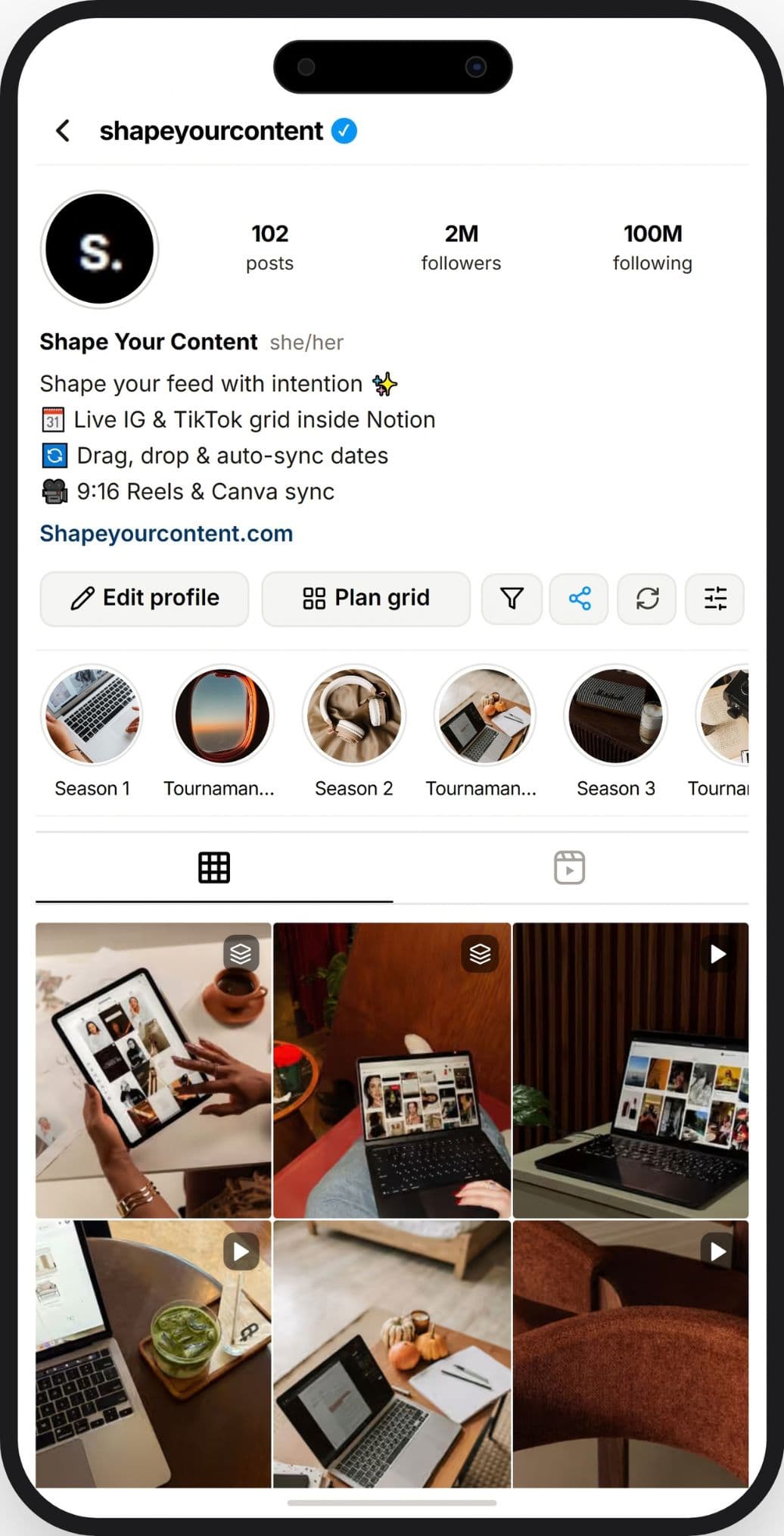
Client snapshot link
Share a snapshot, not your workspace.
Generate a frozen preview link for approval — clients see the grid, not your Notion database.
Balance your pillars, automatically.
Color-code every post as educational, promotional, or aesthetic. The Content Map shows your real ratio at a glance.
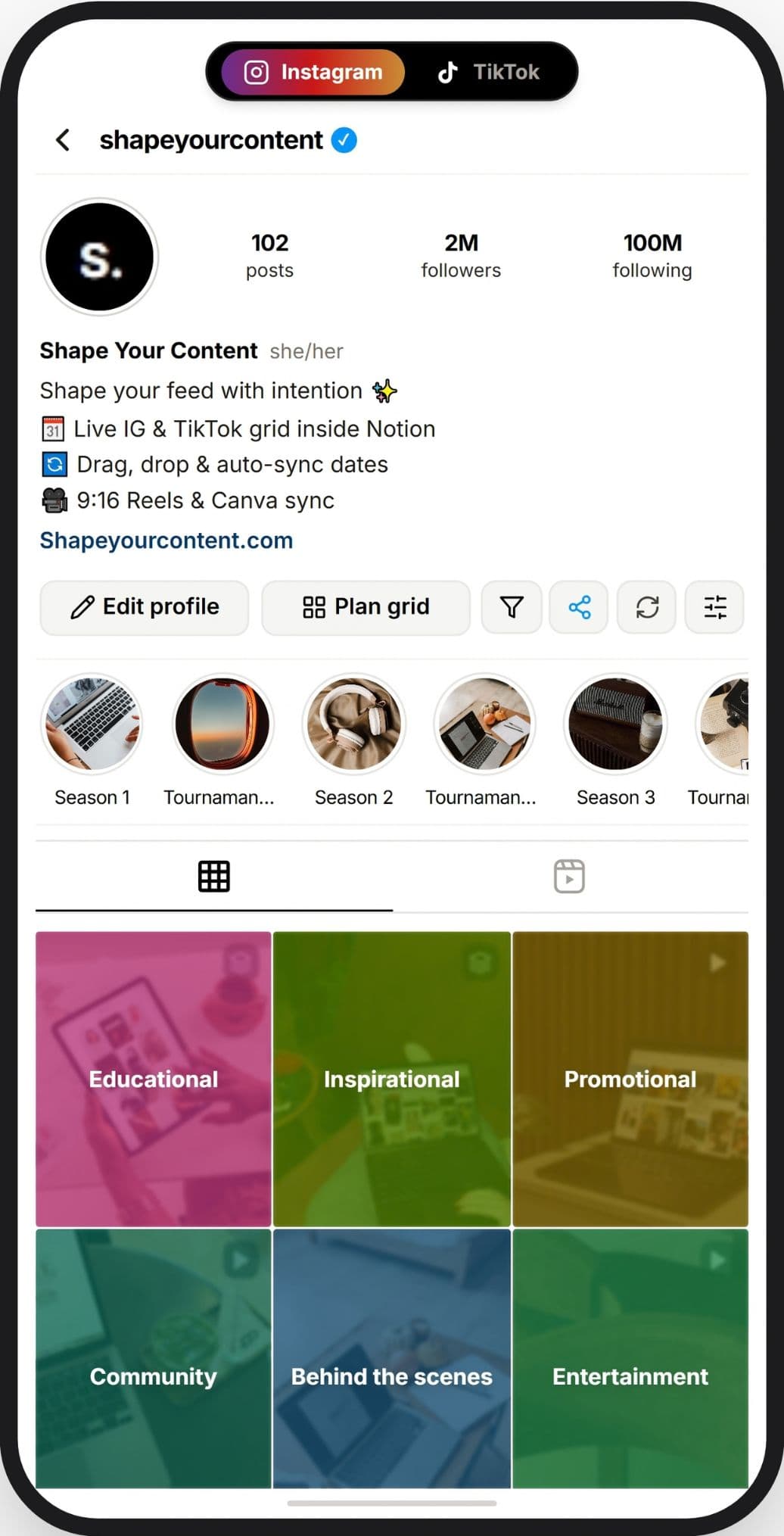
Content Map
Everything you need to plan your feed
One widget, connected to the tools you already plan with.
Canva & external links sync
Drop a Canva, Pinterest, or any URL onto a tile — it opens straight from your grid.
Bio & story highlights preview
See your full profile — bio, highlights, and grid — in one connected view.
Notion database sync
Built on top of your own Notion database — no separate system to maintain.
Reels & TikTok player
Preview multi-slide reels and TikTok videos exactly as followers will see them, in true 9:16.
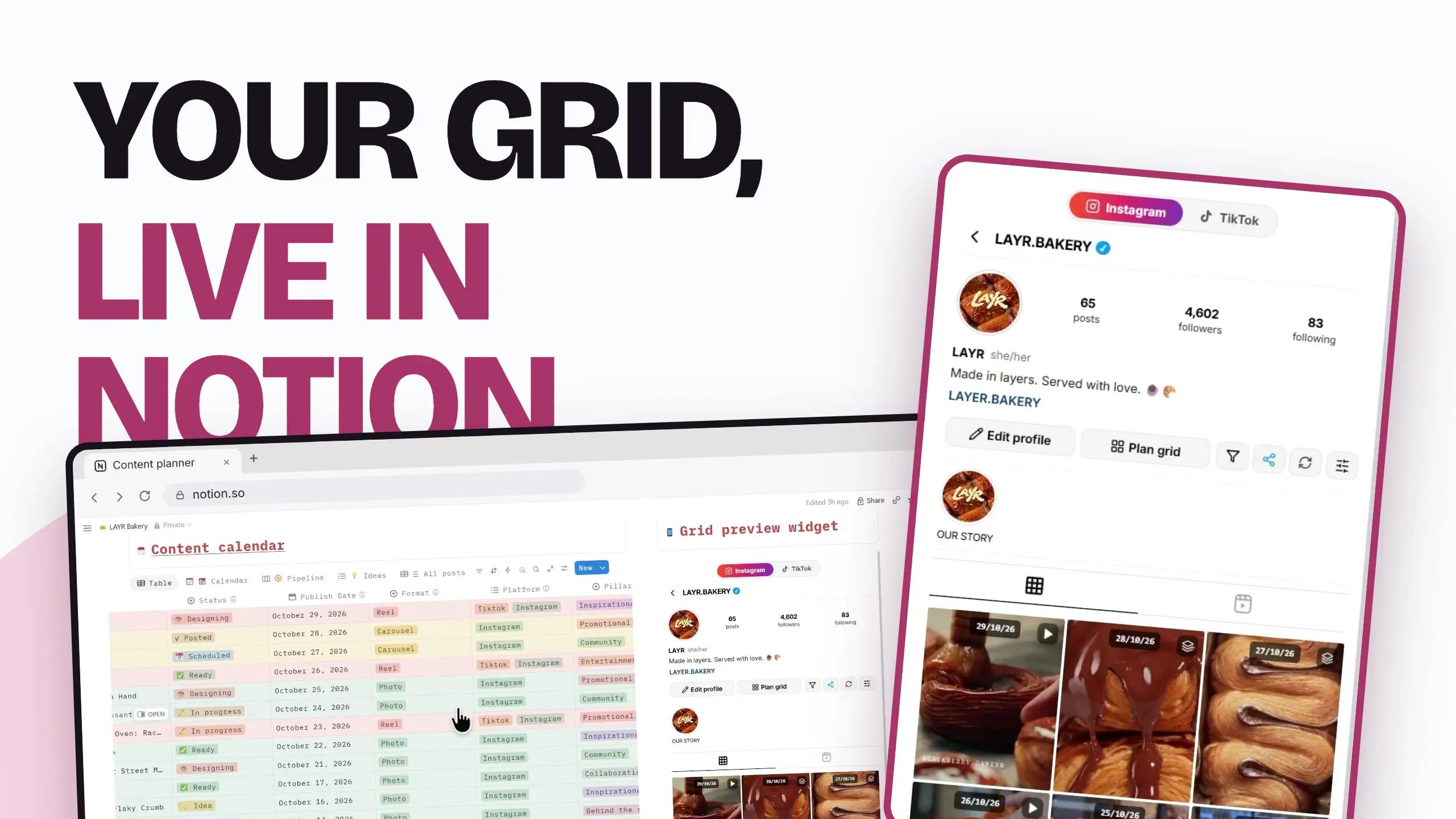
Everything the grid does, at a glance.
One widget replacing your Canva mockups, spreadsheets, and client back-and-forth.
Plan up to 2 months ahead
Fill out your whole content calendar in one sitting instead of scrambling day to day.
Drag & drop Instagram grid
Reorder tiles like a canvas — new dates save straight back to Notion.
Dedicated TikTok grid
A separate grid just for TikTok, so your Instagram and TikTok planning never mix.
Client snapshot links
Share a frozen preview link for approval. Expires in 24 hours.
Content Map
Color-code every post as educational, promotional, or aesthetic.
Canva & external links
Drop a Canva, Pinterest, or any URL onto a tile — it opens from your grid.
Built-in calendar
It comes with a built-in calendar, so you can browse your grid by date and always know what's planned.
Bio & highlights preview
See your full profile — bio, highlights, and grid — in one view.
From scattered to structured
What planning looks like before and after the widget.
Exporting Canva mockups just to check how one post fits.
Your real grid, live inside Notion.
Sending clients screenshots and waiting on replies.
One snapshot link they can click through and approve.
Planning week by week, often at the last minute.
Up to 2 months of content mapped out in one sitting.
Instagram and TikTok plans mixed in the same place.
A dedicated grid for each platform.
Up and running in 2 minutes
After purchase you get a setup link that walks you through three steps.
Duplicate the template
Copy the free Notion template with every property already set up, or use your own database.
Connect Notion
Create an integration token and share only the database you plan in.
Embed your widgets
Generate your Instagram and TikTok widgets and paste them into any page with /embed.
Your data stays yours. The token only reaches the database you share with it, and you can revoke access at any time from your Notion settings.
Pricing
One payment. No subscriptions.
Free
Start free, upgrade whenever you want
forever · no card required
Pro
For planning your feed without limits
one time payment · no subscription
Free resources
Free Notion database template
A ready-made database to plan from.
Canva-to-Notion guide
Move your existing Canva mockups over.
Content pillars worksheet
Define your own educational / promo / aesthetic mix.
Frequently asked questions
No. The grid works on Notion's free plan.